Webflow Integration, Draft Credentials, SharePoint Upgrades & DevX Improvements
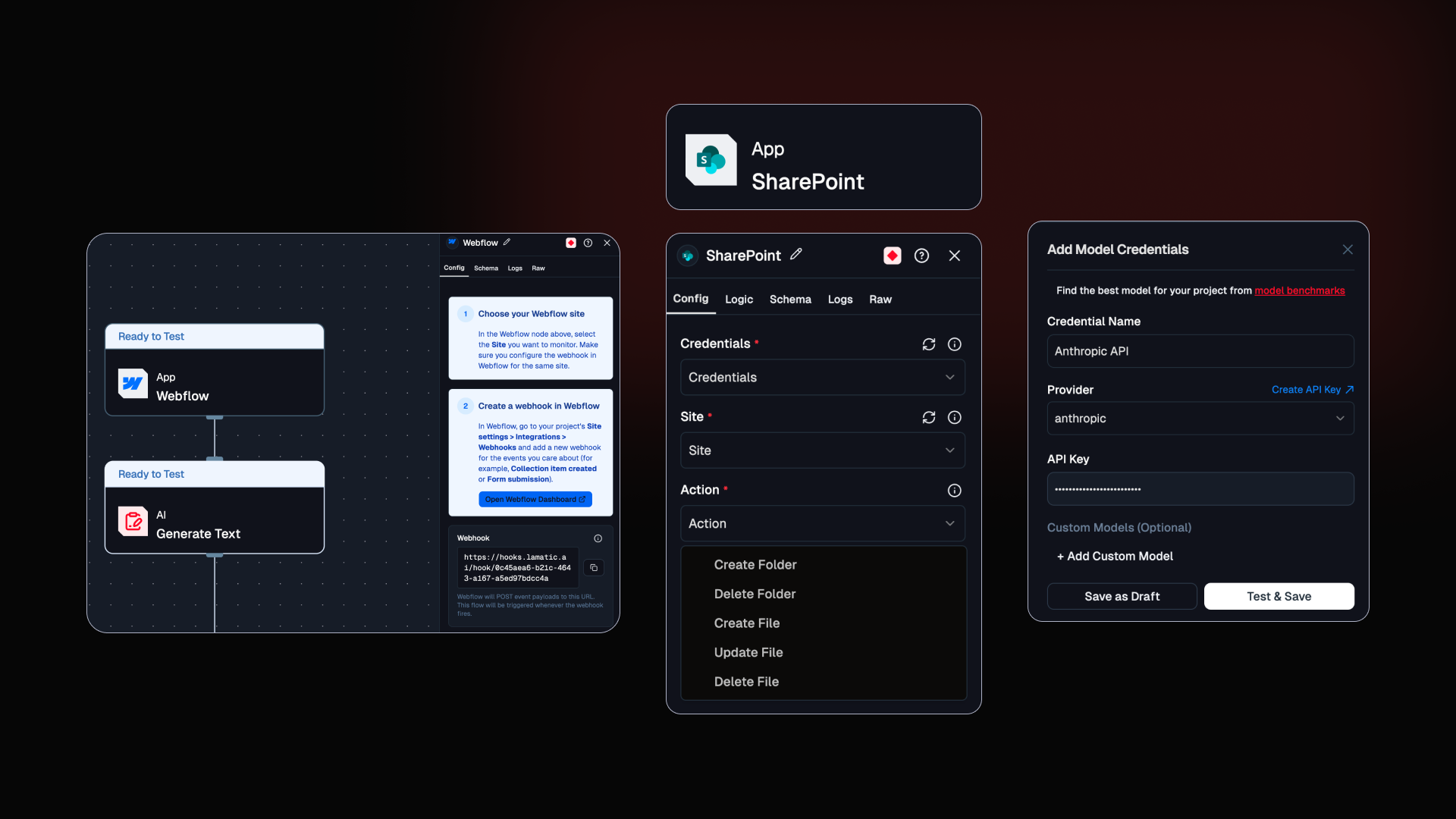
This release introduces the new Webflow Integration. It also enhances developer workflows with features like Saving Model Credential as a draft and SharePoint Integration upgrades including improved logs, testing updates and draft credential support.
Webflow Integration
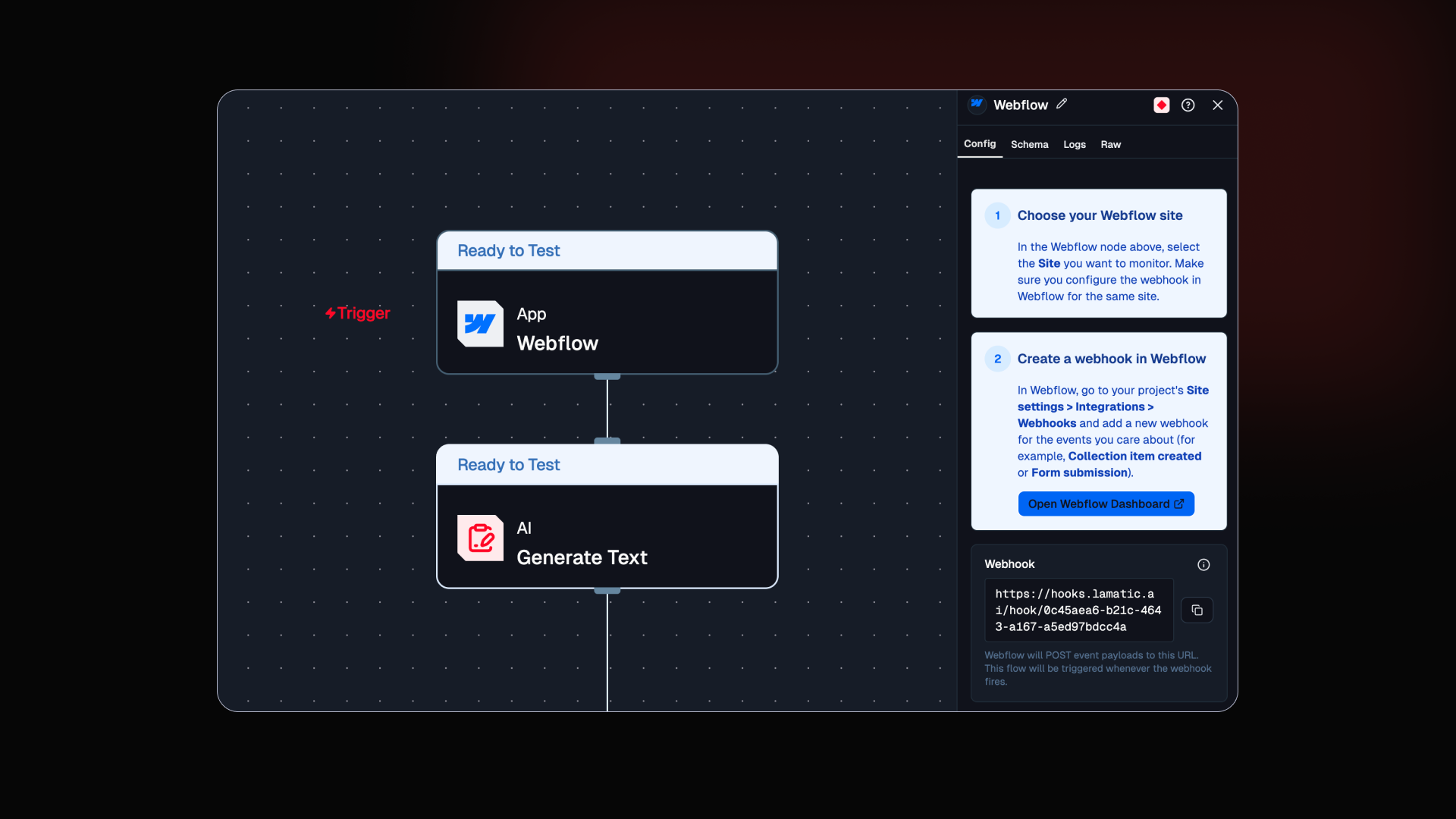
The new Webflow integration allows Lamatic workflows to automate content management and site operations directly within Webflow. You can now build workflows that respond to Webflow events or perform automated actions on your Webflow projects.
Capabilities
Trigger workflows from Webflow events
Manage Webflow sites and collections
Automate page and content operations
Build content workflows powered by AI
Checkout the Webflow Integration doc
Save Credentials as Draft
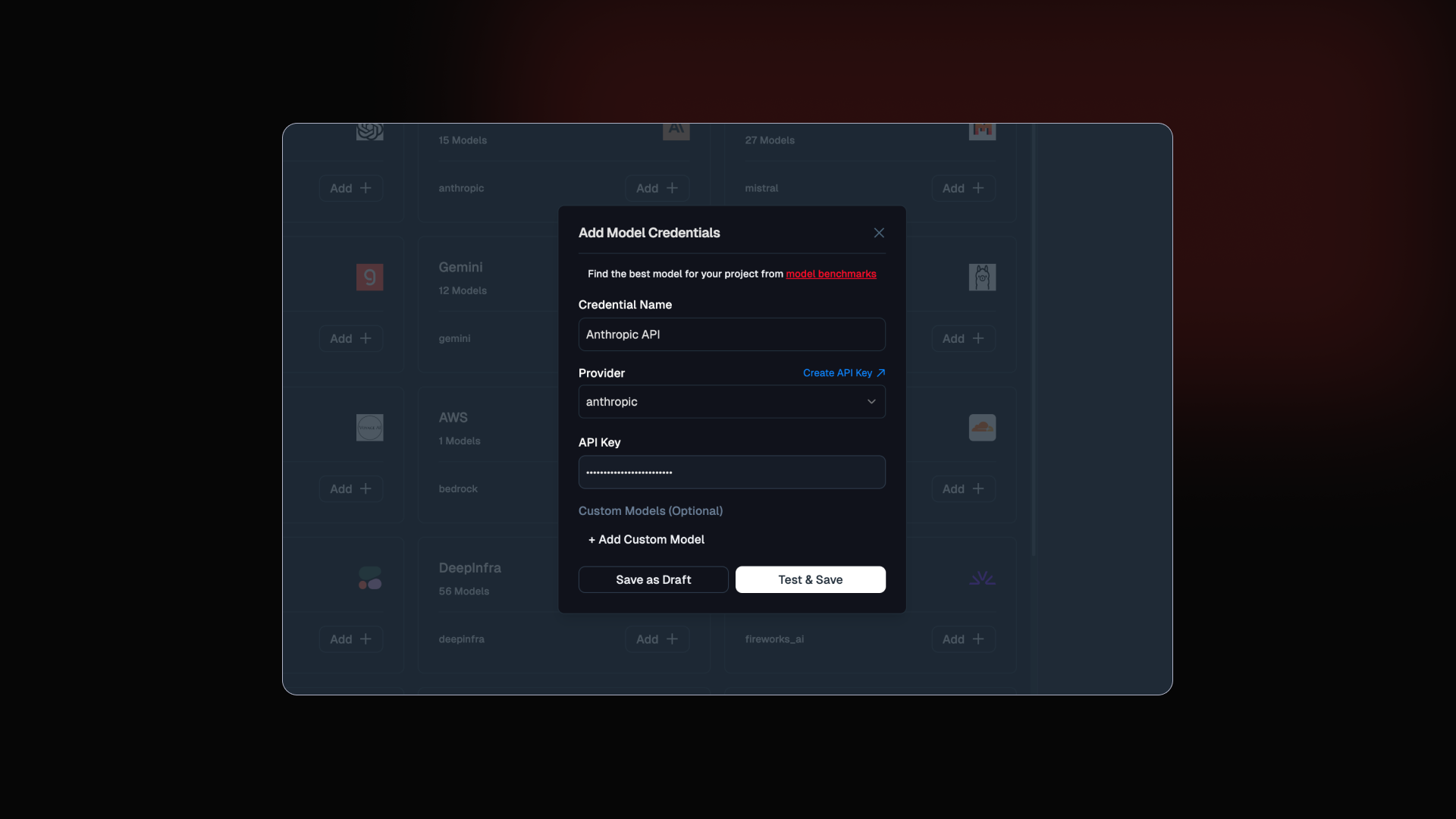
Developers can now save credentials as a draft while configuring integrations. This allows you to set up credentials gradually without needing to complete the full configuration immediately.
Key Benefits
Save partially configured credentials
Continue setup later without losing progress
Faster and smoother integration setup experience
Checkout the doc
Save Credentials as Draft
Save credentials as a draft while configuring integrations
lamatic.ai/docs/models#setting-up-a-model-in-studio
SharePoint Integration Improvement
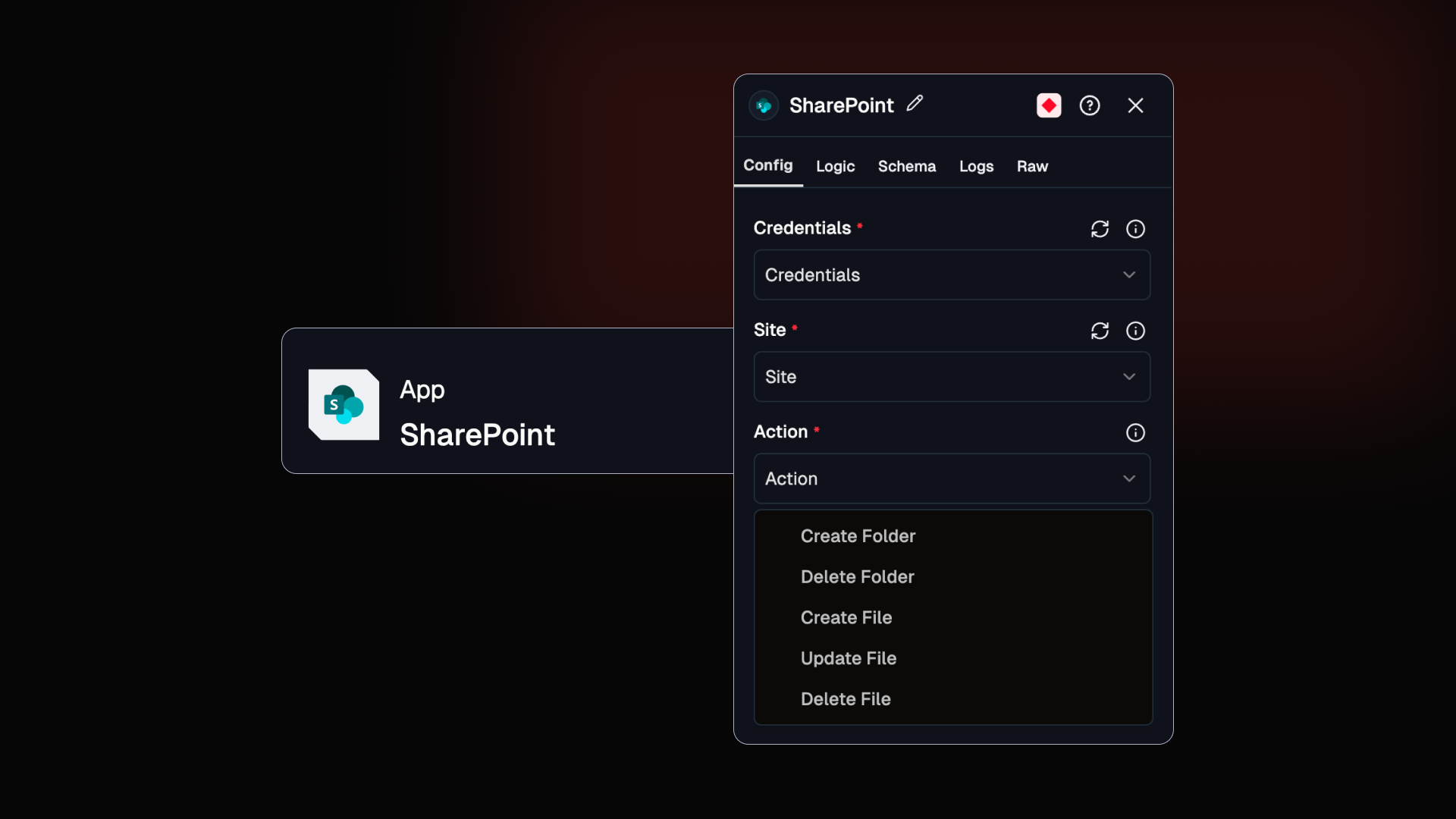
SharePoint Action Node has been significantly enhanced to support more advanced operations for interacting with SharePoint sites, collections, and pages. These improvements make it easier to build automated workflows that retrieve, process, and act on SharePoint content inside Lamatic flows.
With these updates, developers can programmatically access SharePoint resources, extract structured content, and integrate it into AI-powered workflows such as document processing, knowledge retrieval, internal search systems, and automation pipelines.
Check the documentation
Others Improvements
Platform Enhancements
Test cases now update correctly in the list when saved or duplicated
Improved real-time update handling for test suites
Enhanced onboarding flow to preserve organization and project selections across steps
Logging & Analytics
Log entries now include detailed input/output token breakdowns
Logs persist usage metrics into a project-level analytics store
Request statistics and usage metrics are now tracked with per-project database support