Handle documents with ease: Merge, split, and edit PDFs right from your flow
You have a flow that generates a report. Now you need to staple a cover page to the front, drop the internal-only appendix, and stamp the client's name in the document title. None of that is AI work; it's plumbing, but until now it meant chaining nodes, writing a Code node, or handing the file off to an external service and waiting for it to come back.
The Document Handling node handles each of those directly. Point it at a PDF, pick the operation, get a file back. No Code node, no round trip to an external service.
What it does
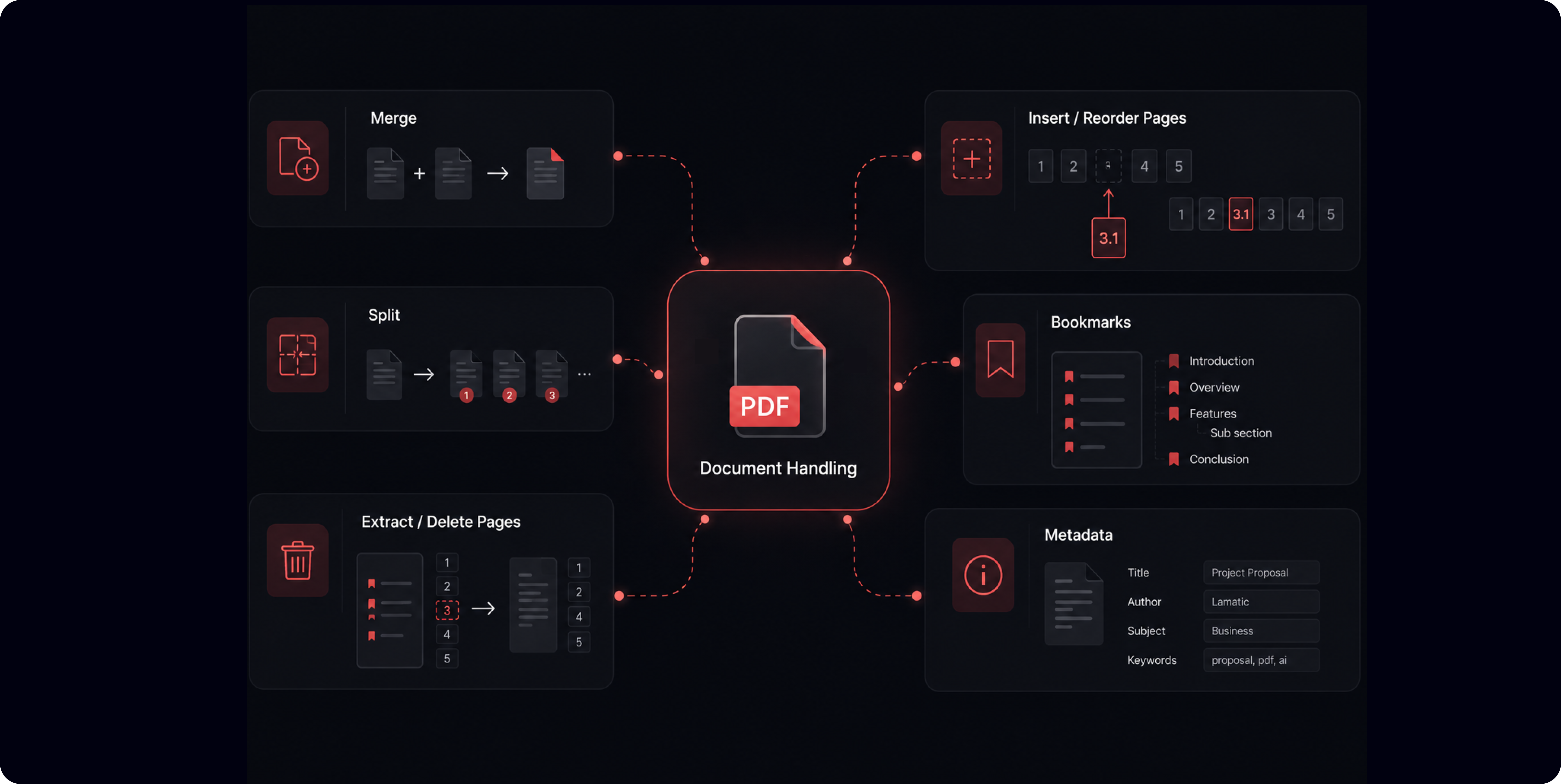
The Document Handling node has 14 different functionalities that you most frequently need combined into one node :
Merge (1)
Merge: combine multiple PDFs in order, with optional per-document page ranges and bookmark preservation
Split (3)
Every N pages: one file per N-page chunk
At specific page numbers: split exactly where you choose
Every page: one file per page
Pages (5)
Extract: pull selected pages into a new document
Delete: remove selected pages
Insert blank pages: add blank pages at a chosen position
Insert from document: splice in pages from another PDF
Reorder / duplicate: rearrange pages, or repeat a page number to duplicate it
Bookmarks (3)
List: read the document's outline
Set: write a new outline, either replacing the existing one or adding to it
Remove: strip all bookmarks
Metadata (2)
Get: read title, author, subject, creator, and keywords
Set: write those fields
What this unlocks
Assemble a cover page, generated report, and appendix into one client-ready PDF.
Split a 400-page scan into chapters before sending it through extraction, so you're not OCRing the whole thing to read page 12.
Strip a boilerplate cover or splice a signed addendum into an existing contract.
Stamp metadata on every document a publishing pipeline produces.
Read a PDF's bookmark outline to figure out its structure before you decide how to chunk it.
How it works
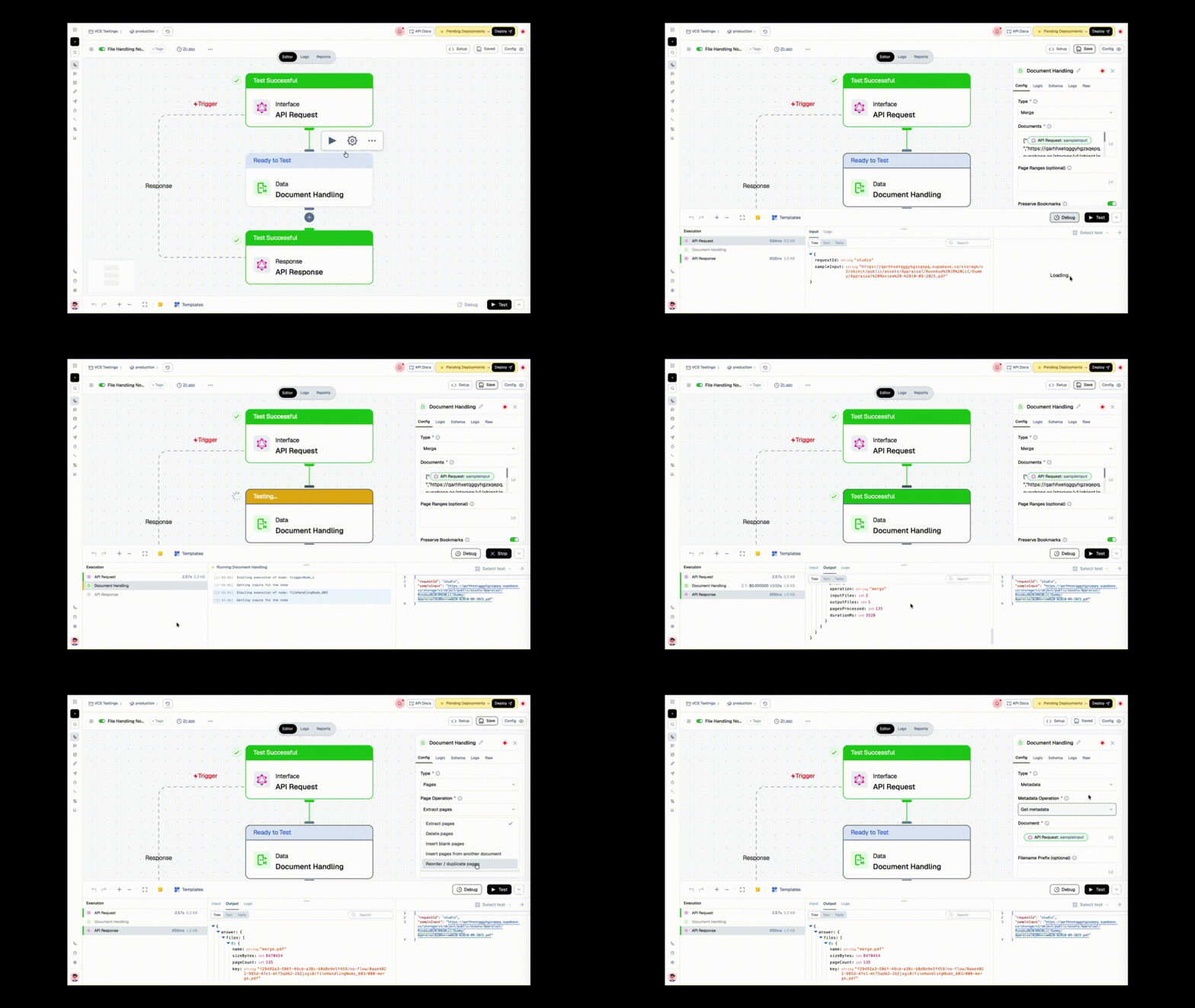
Pick a Type first, then the operation for that type. You only see the fields that matter for what you're doing, no scrolling past twelve irrelevant inputs to find the one you need.
Documents go in as URLs and come out as URLs: every operation that produces a file returns a presigned URL plus a durable storage key, so the shape is the same every time and downstream nodes always know what to expect. Whole PDFs never land in your workflow state or your logs. List Bookmarks and Get Metadata return their data directly instead of a file.
Two things called out in the node UI so they don't surprise you: password-protected PDFs are rejected (Get Metadata is the exception; it can still read an encrypted document), and Extract, Insert, and ranged Merge can drop annotations, outlines, or form fields from the pages they touch.
Checkout the docs for more details.